
To create users or to modify the properties of existing users, you must be logged in as a privileged user (see User roles).
Step by step:
Click on the “User icon” 
Then click on the “Add” button 
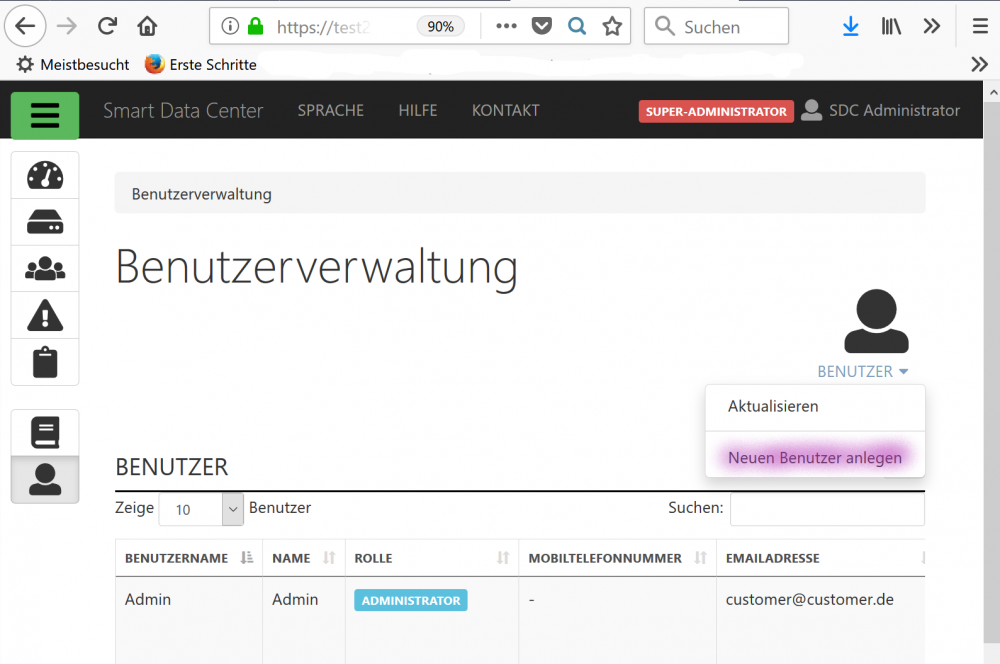
Enter the necessary data and then click on “Save”.
Further user properties can only be specified once the user has been saved for the first time. See the User properties section.
Every user that is not an administrator must be assigned to at least one project. To do this, select the checkboxes next to the desired projects in the list of available projects at the bottom of the page.